Read and continue
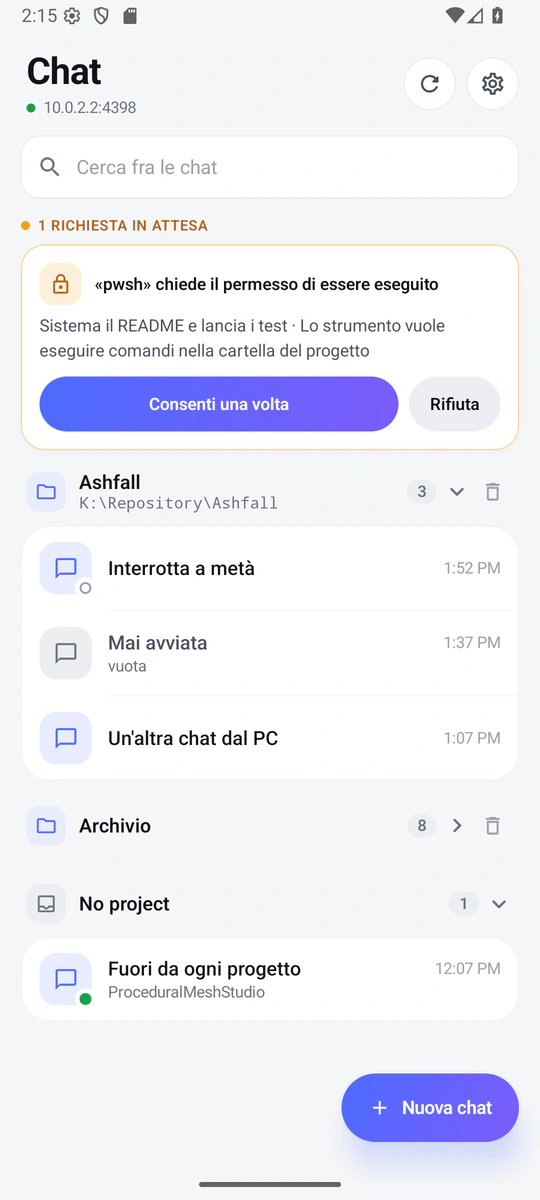
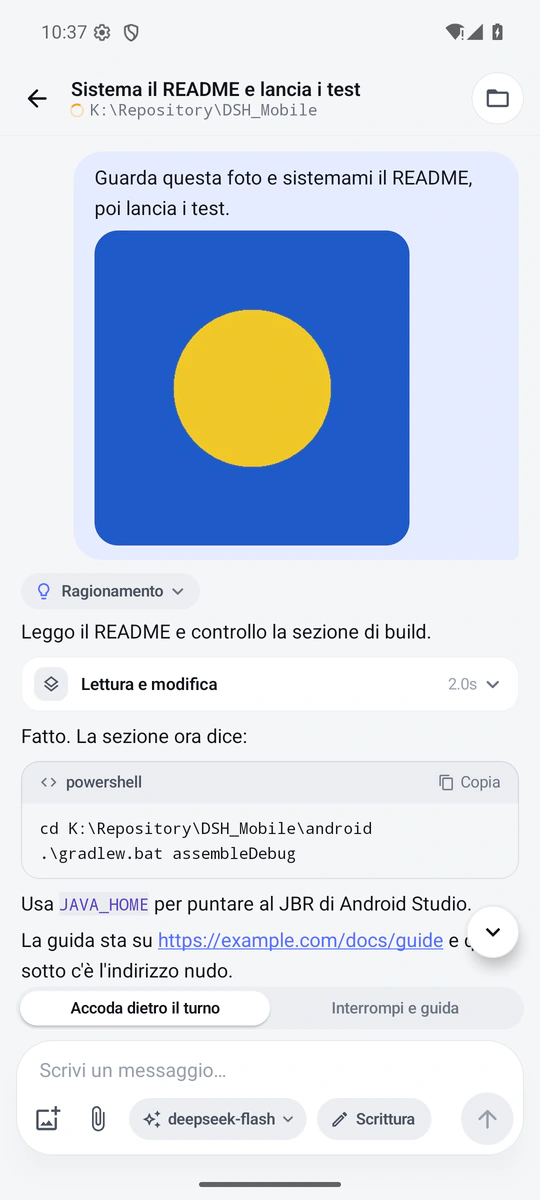
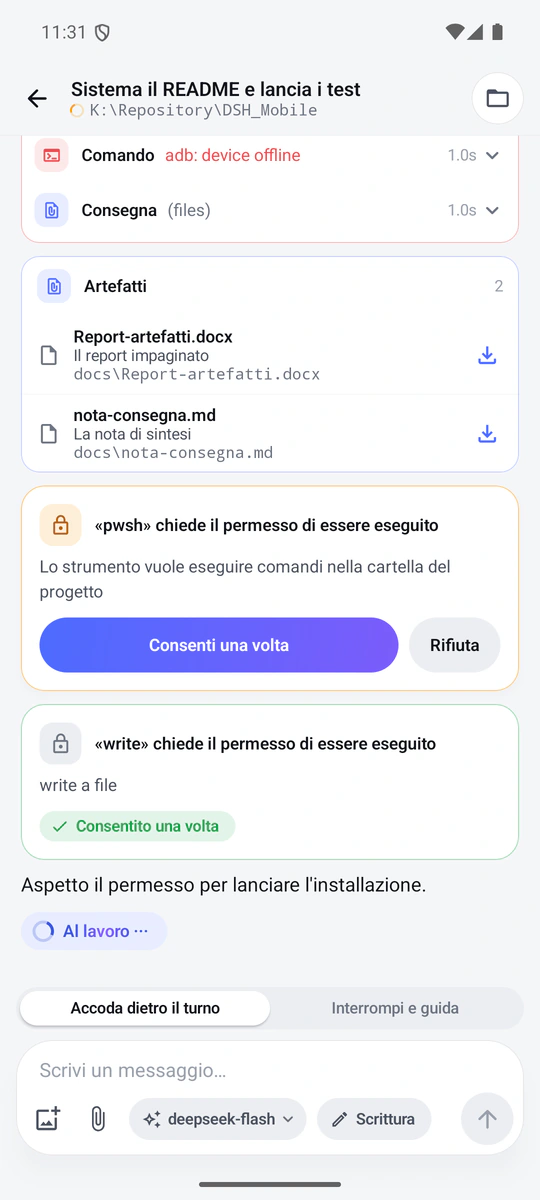
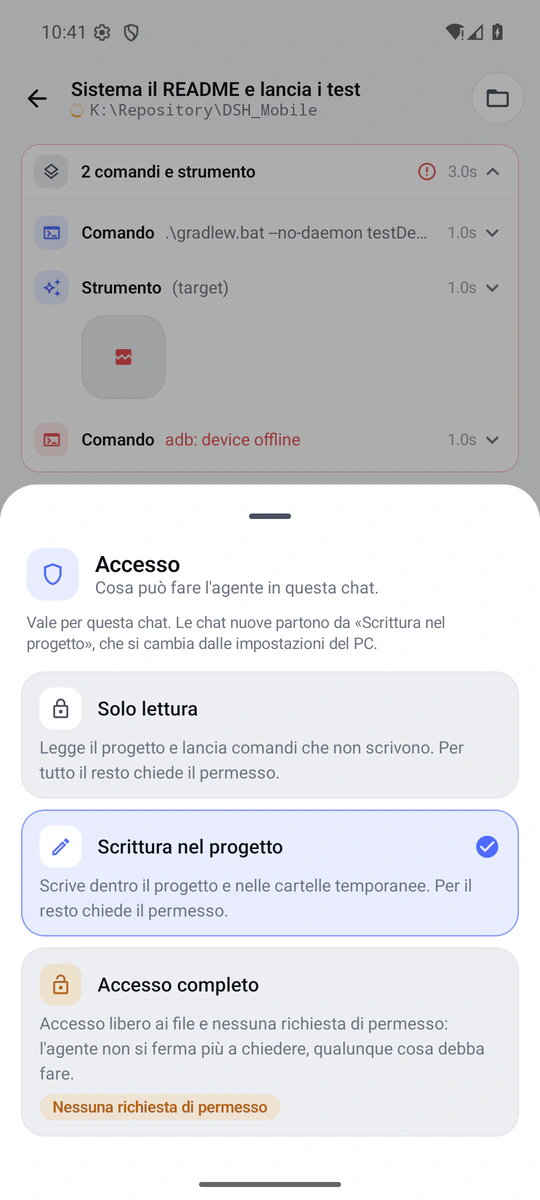
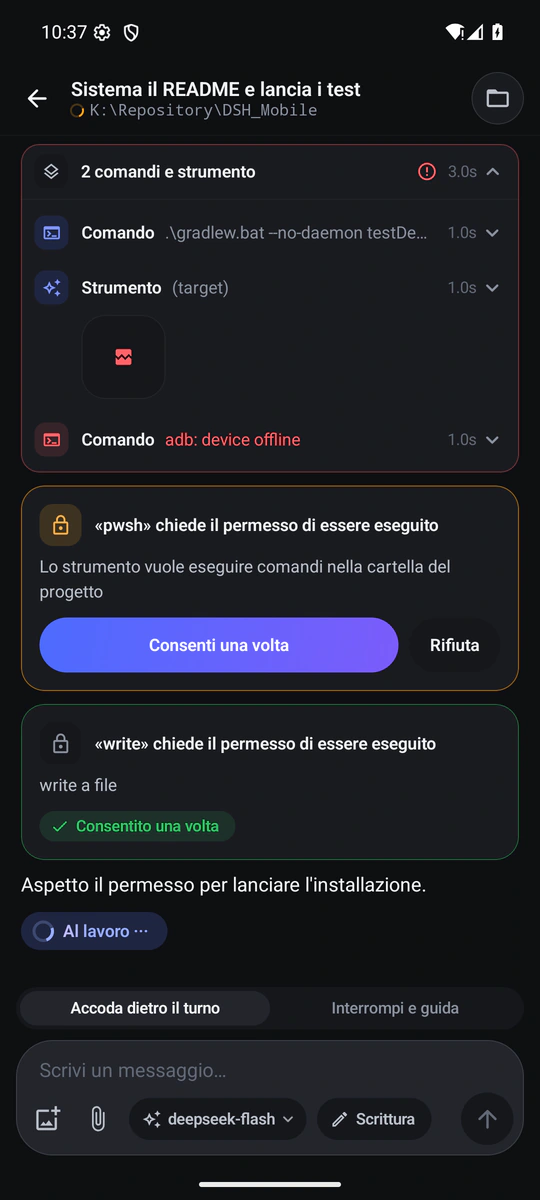
Chats grouped by project, with a status dot read from the last event of the harness. The transcript as on the desktop: markdown, diffs, pictures and one card for each tool, with its wait, its duration and how it ended.
DotLabs Studios – Game Development


DeepSeek Harness chats on Android: a plugin opens the harness to a native app that reads and continues conversations, approves tools and receives artefacts — from the phone, on your home Wi-Fi or through Tailscale.
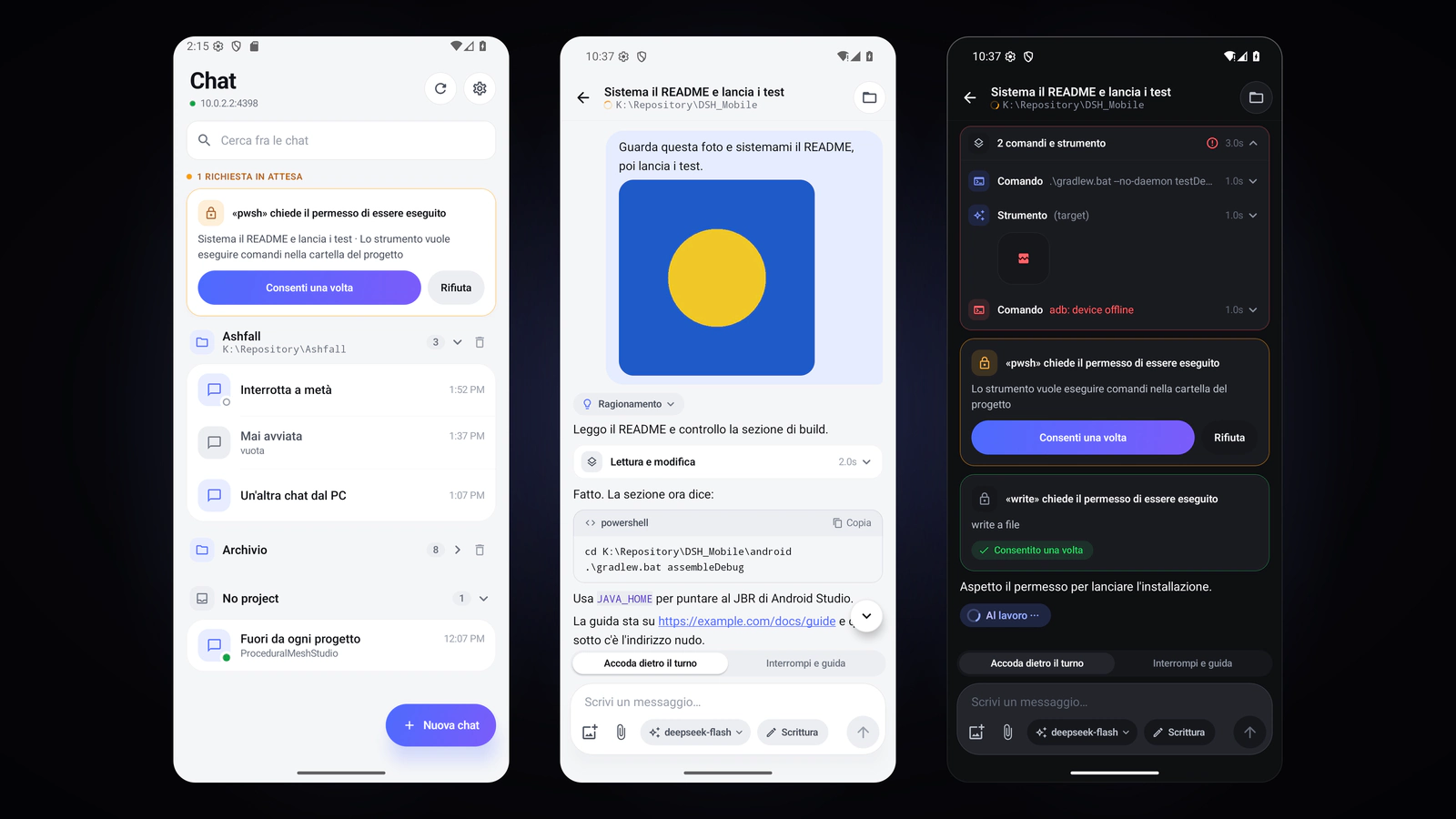
DeepSeek Harness runs on the PC and works on the files of the PC. DSH Mobile adds the two pieces you need to carry it with you: a plugin, which opens a small authenticated HTTP server on the harness, and a native Android app, which talks to it. The phone speaks directly to the PC — on your home Wi-Fi or inside the Tailscale network — and there is no service of ours in between.
The plugin does not touch the Web GUI of the harness: it listens on a port of its own, with a different token for each paired phone, and turns sessions, chats, photos, files, approvals, questions and access levels into a few REST routes. The app is not a web page in a frame: it is Kotlin and Jetpack Compose, and it draws the transcript, the markdown, the diffs and the tool cards itself.
What you write from the phone is the conversation you find on the desktop: same agent, same history, same files. If a chat is open on the PC, the phone tells you so instead of fighting over the turn.
The PC always runs the turn: the phone watches, writes and decides. These are the things you do from it.
Install the plugin in the profile of the harness and restart it: the log prints the pairing code, which lives until it is used. In the app you type three things — the address of the PC, the code and the name of the phone — and from then on that phone has a token of its own, which you revoke by emptying the list of devices on the PC.
On the PC the firewall has to be convinced once, for the port of the plugin and for private networks only. On the phone no account is needed: a device is a token, and the tokens sit in a file on the PC that only its user can read.
Pending requests live in memory: once the turn is over, an approval left on the phone can no longer decide anything.
Five screens of the app, live: the list of chats, the transcript, the artefacts, the access levels and the same screen in the dark theme.
| Version | 0.2.0 |
| Type | A host plugin for DeepSeek Harness (one ESM Node file, no dependencies) and a native Android app in Kotlin and Jetpack Compose |
| Requirements | DeepSeek Harness with the sessionController service; Android 8.0 or later (API 26) |
| Network | Home Wi-Fi or Tailscale (100.x.x.x); plain HTTP with one token per device |
| Security | A paired phone can approve tools, answer the questions of the agent and raise the access level of a chat up to Full access |
| Licence | MIT, with the code on GitHub |
| Price | Free |
What is worth knowing before you install it.
No. The phone opens a direct connection to the PC: no server of ours, no cloud. Pairing happens once, with the code the harness prints at startup, and from then on each phone has its own token.
What the harness can do: read and write in the chats, approve the use of a tool, answer a question of the agent and change the access level of the chat, up to Full access — which takes the permission requests away. That is why the listener has to stay on the home network or on Tailscale, and why, when a phone is lost, you empty the list of devices and restart the harness.
Yes, with Tailscale on the PC and on the phone: the address to type in the app is the one of the PC on the Tailscale network, 100.x.x.x. Otherwise you stay on the home Wi-Fi, which is the normal case.
Android 8.0 or later. The phone has to be able to open a connection to the port of the plugin on the PC: on the Windows firewall it has to be allowed once, for private networks.
Because it is a build to install by hand, not one for a store: a debug key is public by definition, and it makes the APK installable with no secret to look after. Anyone who wants to sign updates with a key of their own finds the procedure in the README of the project.
Italian and English, following the language of the phone. The themes are two, light and dark, with “System” choosing for you.
 Available
Desktop app · Plugin
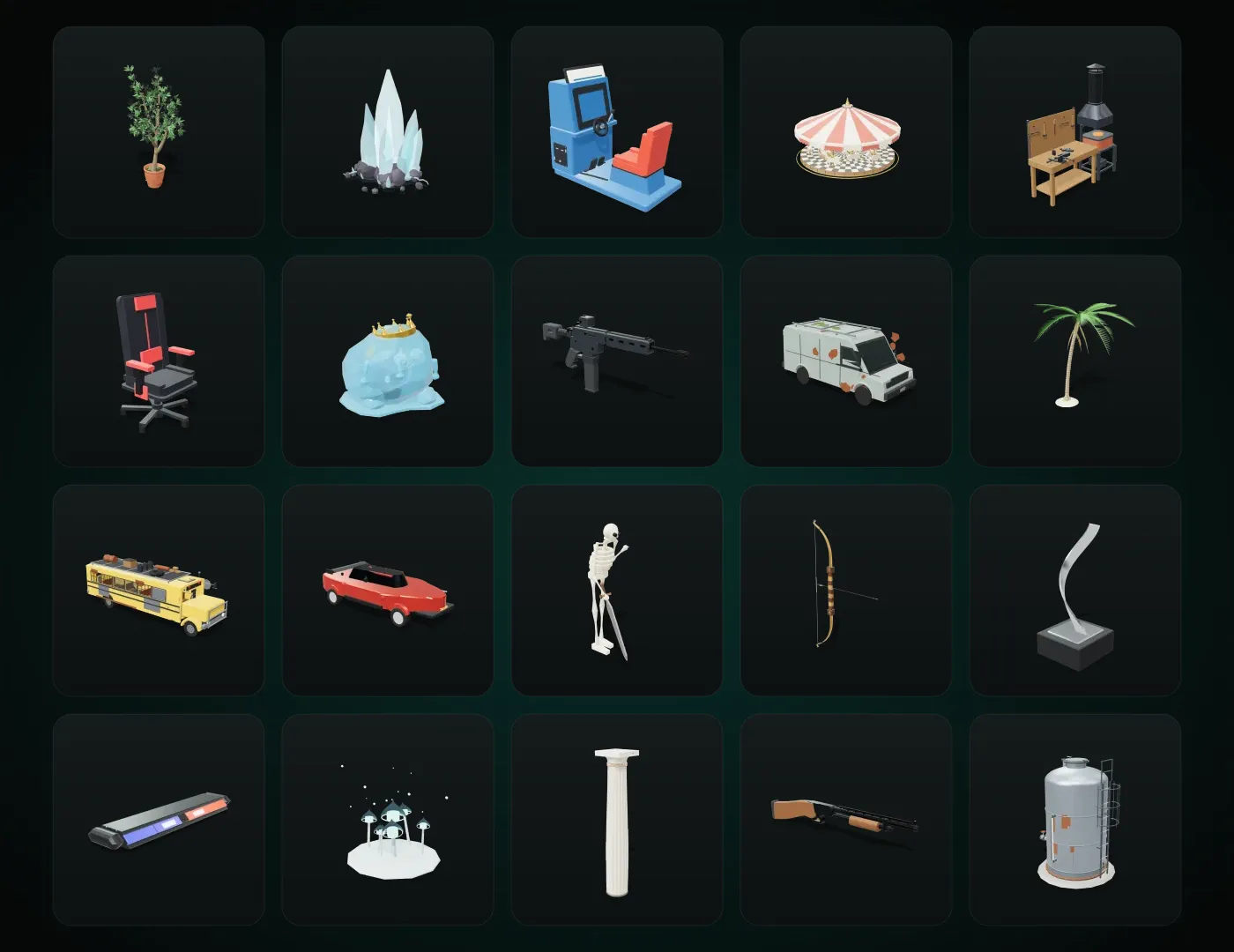
3D models that stay editable.
Every model is a small program: you change it with sliders or by asking an AI assistant, and you use it live in Unreal, Unity and Blender. It starts from a library of more than 1,200 models.
Unreal · Unity · Blender · GLB
 Available
Unreal Engine 5 plugin
Textures, without leaving the editor.
Twelve texture tools inside Unreal Engine: heightmaps with hydraulic erosion, noise, LUTs, channel packing, curvature and cavity, normal maps from heights and geometric patterns.
Unreal Engine 5 · Windows
 Available
Unreal Engine 5 plugin
Every asset, in every project.
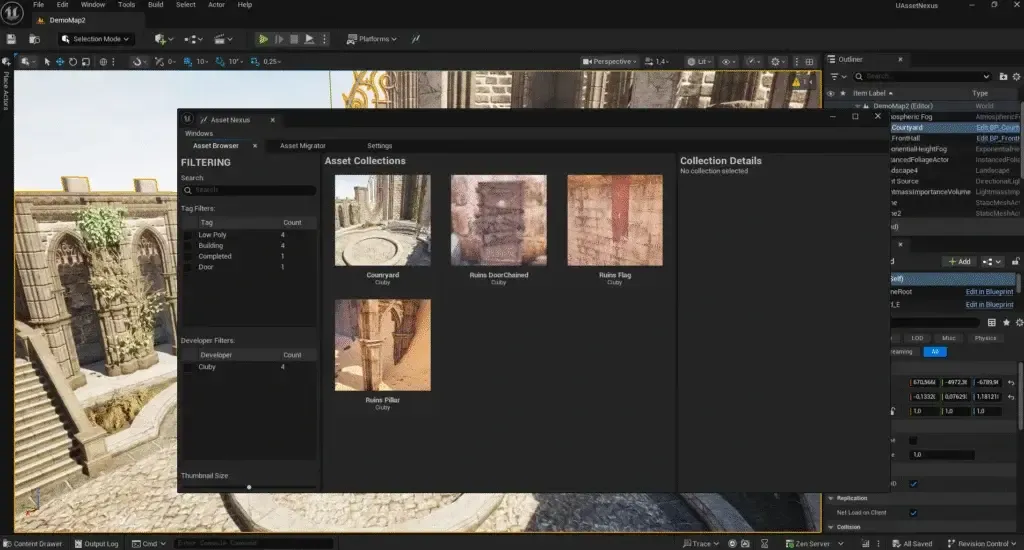
Catalogue and move assets between Unreal Engine projects and versions: tags, bulk import, dependencies pulled in automatically, and synchronisation with Google Drive, OneDrive and Nextcloud.
Unreal Engine 5 · Windows